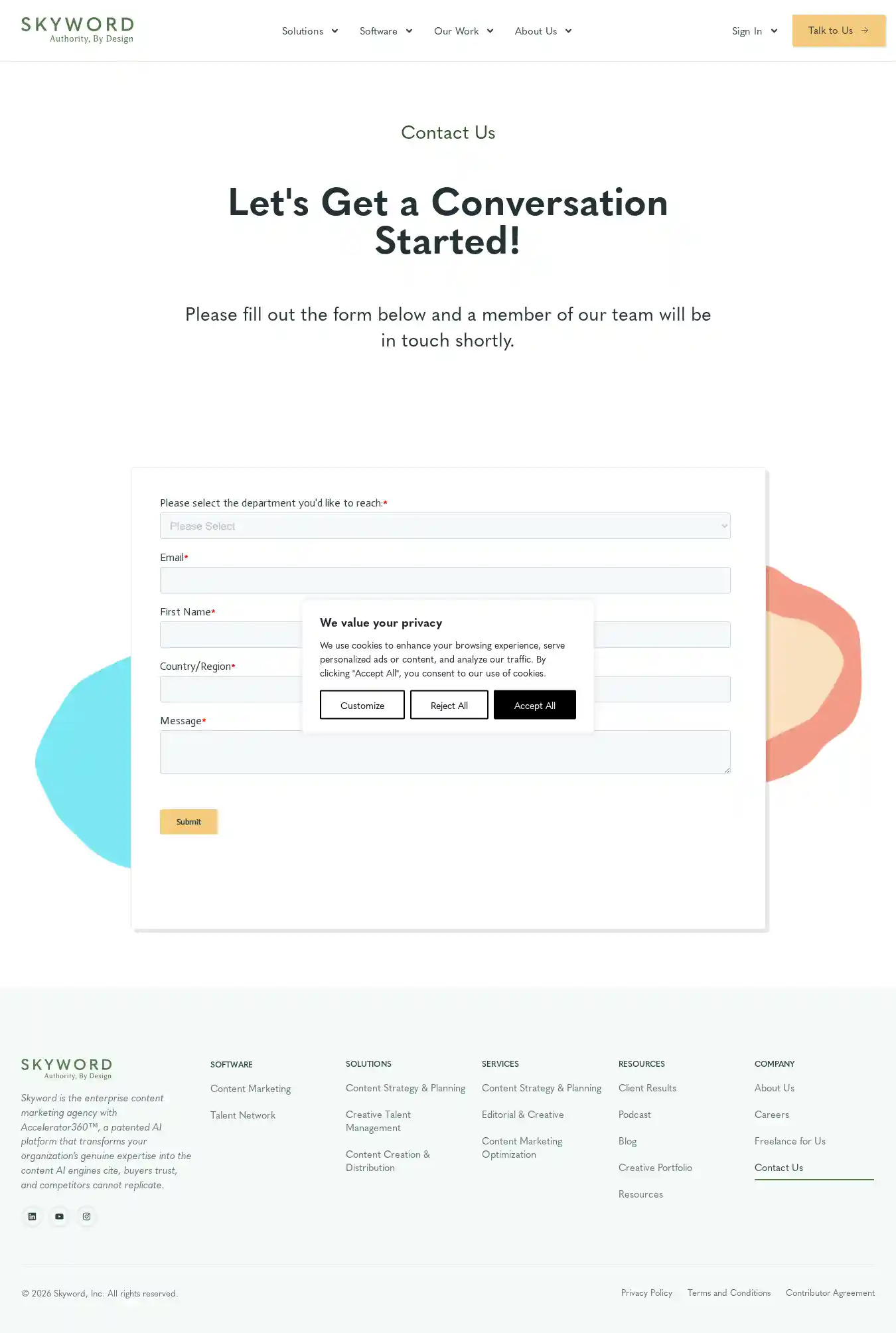
Boxes mark elements that failed a check. Hover or focus an element
in the lists below to highlight it here.
Accessibility — 2 failing checks
1Finding 1:
Links do not have a discernible name
Link text (and alternate text for images, when used as links) that is discernible, unique, and focusable improves the navigation experience for screen reader users. Learn how to make links accessible.
div.elementor-element > div.e-con-inner > div.elementor-element > a
<a href="https://www.skyword.com">
Fix all of the following:
Element is in tab order and does not have accessible text
Fix any of the following:
Element does not have text that is visible to screen readers
aria-label attribute does not exist or is empty
aria-labelledby attribute does not exist, references elements that do not exist or references elements that are empty
Element has no title attribute
div#footer-columns > div.elementor-element > div.elementor-element > a
<a href="https://www.skyword.com">
Fix all of the following:
Element is in tab order and does not have accessible text
Fix any of the following:
Element does not have text that is visible to screen readers
aria-label attribute does not exist or is empty
aria-labelledby attribute does not exist, references elements that do not exist or references elements that are empty
Element has no title attribute
2Finding 2:
Heading elements are not in a sequentially-descending order
Properly ordered headings that do not skip levels convey the semantic structure of the page, making it easier to navigate and understand when using assistive technologies. Learn more about heading order.
Accessibility: 29 checks passed, 35 not applicable
`[aria-*]` attributes match their roles
`button`, `link`, and `menuitem` elements have accessible names
ARIA attributes are used as specified for the element's role
Deprecated ARIA roles were not used
Elements with `role="dialog"` or `role="alertdialog"` have accessible names.
`[aria-hidden="true"]` is not present on the document `<body>`
`[aria-hidden="true"]` elements do not contain focusable descendents
Elements use only permitted ARIA attributes
`[role]`s have all required `[aria-*]` attributes
Elements with an ARIA `[role]` that require children to contain a specific `[role]` have all required children.
`[role]`s are contained by their required parent element
`[role]` values are valid
`[aria-*]` attributes have valid values
`[aria-*]` attributes are valid and not misspelled
Buttons have an accessible name
Background and foreground colors have a sufficient contrast ratio
Document has a `<title>` element
`<frame>` or `<iframe>` elements have a title
`<html>` element has a `[lang]` attribute
`<html>` element has a valid value for its `[lang]` attribute
Image elements have `[alt]` attributes
Lists contain only `<li>` elements and script supporting elements (`<script>` and `<template>`).
List items (`<li>`) are contained within `<ul>`, `<ol>` or `<menu>` parent elements
`[user-scalable="no"]` is not used in the `<meta name="viewport">` element and the `[maximum-scale]` attribute is not less than 5.
No element has a `[tabindex]` value greater than 0
Touch targets have sufficient size and spacing.
Document has a main landmark.
Elements with `role="none"` or `role="presentation"` do not have conflicts
Elements with visible text labels have matching accessible names.
`[accesskey]` values are unique (not applicable)
ARIA input fields have accessible names (not applicable)
ARIA `meter` elements have accessible names (not applicable)
ARIA `progressbar` elements have accessible names (not applicable)
Elements with the `role=text` attribute do not have focusable descendents. (not applicable)
ARIA toggle fields have accessible names (not applicable)
ARIA `tooltip` elements have accessible names (not applicable)
ARIA `treeitem` elements have accessible names (not applicable)
The page contains a heading, skip link, or landmark region (not applicable)
`<dl>`'s contain only properly-ordered `<dt>` and `<dd>` groups, `<script>`, `<template>` or `<div>` elements. (not applicable)
Definition list items are wrapped in `<dl>` elements (not applicable)
ARIA IDs are unique (not applicable)
No form fields have multiple labels (not applicable)
`<html>` element has an `[xml:lang]` attribute with the same base language as the `[lang]` attribute. (not applicable)
Input buttons have discernible text. (not applicable)
`<input type="image">` elements have `[alt]` text (not applicable)
Form elements have associated labels (not applicable)
Links are distinguishable without relying on color. (not applicable)
The document does not use `<meta http-equiv="refresh">` (not applicable)
`<object>` elements have alternate text (not applicable)
Select elements have associated label elements. (not applicable)
Skip links are focusable. (not applicable)
Cells in a `<table>` element that use the `[headers]` attribute refer to table cells within the same table. (not applicable)
`<th>` elements and elements with `[role="columnheader"/"rowheader"]` have data cells they describe. (not applicable)
`[lang]` attributes have a valid value (not applicable)
`<video>` elements contain a `<track>` element with `[kind="captions"]` (not applicable)
`autocomplete` attributes are used correctly (not applicable)
SVG elements with an `img` role have an accessible text alternative (not applicable)
Tables have different content in the summary attribute and `<caption>`. (not applicable)
All heading elements contain content. (not applicable)
Uses ARIA roles only on compatible elements (not applicable)
Image elements do not have `[alt]` attributes that are redundant text. (not applicable)
Identical links have the same purpose. (not applicable)
Tables use `<caption>` instead of cells with the `[colspan]` attribute to indicate a caption. (not applicable)
`<td>` elements in a large `<table>` have one or more table headers. (not applicable)
Scanned
· Lighthouse 13.4.1
1223
Boxes mark elements that failed a check. Hover or focus an element
in the lists below to highlight it here.
Accessibility — 3 failing checks
1Finding 1:
`[aria-*]` attributes do not match their roles
Each ARIA `role` supports a specific subset of `aria-*` attributes. Mismatching these invalidates the `aria-*` attributes. Learn how to match ARIA attributes to their roles.
Fix all of the following:
ARIA attribute is not allowed: aria-expanded="false"
2Finding 2:
Links do not have a discernible name
Link text (and alternate text for images, when used as links) that is discernible, unique, and focusable improves the navigation experience for screen reader users. Learn how to make links accessible.
div.elementor-element > div.e-con-inner > div.elementor-element > a
<a href="https://www.skyword.com">
Fix all of the following:
Element is in tab order and does not have accessible text
Fix any of the following:
Element does not have text that is visible to screen readers
aria-label attribute does not exist or is empty
aria-labelledby attribute does not exist, references elements that do not exist or references elements that are empty
Element has no title attribute
div#footer-columns > div.elementor-element > div.elementor-element > a
<a href="https://www.skyword.com">
Fix all of the following:
Element is in tab order and does not have accessible text
Fix any of the following:
Element does not have text that is visible to screen readers
aria-label attribute does not exist or is empty
aria-labelledby attribute does not exist, references elements that do not exist or references elements that are empty
Element has no title attribute
3Finding 3:
Heading elements are not in a sequentially-descending order
Properly ordered headings that do not skip levels convey the semantic structure of the page, making it easier to navigate and understand when using assistive technologies. Learn more about heading order.