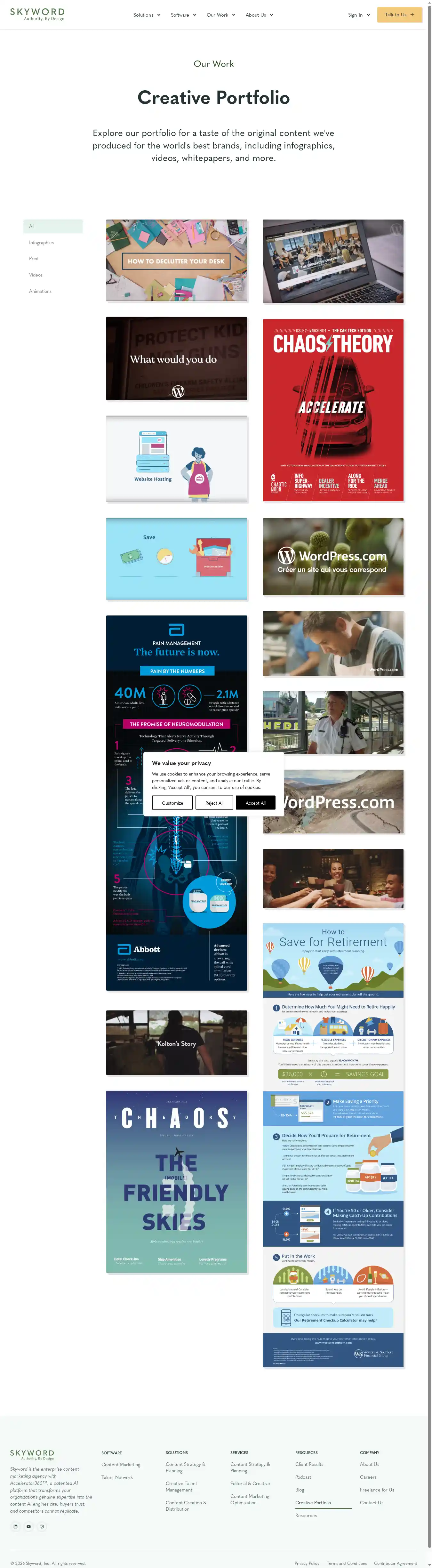
Boxes mark elements that failed a check. Hover or focus an element
in the lists below to highlight it here.
Accessibility — 2 failing checks
1Finding 1:
Links do not have a discernible name
Link text (and alternate text for images, when used as links) that is discernible, unique, and focusable improves the navigation experience for screen reader users. Learn how to make links accessible.
div.elementor-element > div.e-con-inner > div.elementor-element > a
<a href="https://www.skyword.com">
Fix all of the following:
Element is in tab order and does not have accessible text
Fix any of the following:
Element does not have text that is visible to screen readers
aria-label attribute does not exist or is empty
aria-labelledby attribute does not exist, references elements that do not exist or references elements that are empty
Element has no title attribute
div#footer-columns > div.elementor-element > div.elementor-element > a
<a href="https://www.skyword.com">
Fix all of the following:
Element is in tab order and does not have accessible text
Fix any of the following:
Element does not have text that is visible to screen readers
aria-label attribute does not exist or is empty
aria-labelledby attribute does not exist, references elements that do not exist or references elements that are empty
Element has no title attribute
2Finding 2:
Heading elements are not in a sequentially-descending order
Properly ordered headings that do not skip levels convey the semantic structure of the page, making it easier to navigate and understand when using assistive technologies. Learn more about heading order.
Fix any of the following:
Element has insufficient color contrast of 3.41 (foreground color: #7a847f, background color: #e6f4ee, font size: 10.9pt (14.5px), font weight: normal). Expected contrast ratio of 4.5:1
Fix any of the following:
Element has insufficient color contrast of 3.86 (foreground color: #7a847f, background color: #ffffff, font size: 10.9pt (14.5px), font weight: normal). Expected contrast ratio of 4.5:1
Fix any of the following:
Element has insufficient color contrast of 3.86 (foreground color: #7a847f, background color: #ffffff, font size: 10.9pt (14.5px), font weight: normal). Expected contrast ratio of 4.5:1
Fix any of the following:
Element has insufficient color contrast of 3.86 (foreground color: #7a847f, background color: #ffffff, font size: 10.9pt (14.5px), font weight: normal). Expected contrast ratio of 4.5:1
Fix any of the following:
Element has insufficient color contrast of 3.86 (foreground color: #7a847f, background color: #ffffff, font size: 10.9pt (14.5px), font weight: normal). Expected contrast ratio of 4.5:1
2Finding 2:
Links do not have a discernible name
Link text (and alternate text for images, when used as links) that is discernible, unique, and focusable improves the navigation experience for screen reader users. Learn how to make links accessible.
div.elementor-element > div.e-con-inner > div.elementor-element > a
<a href="https://www.skyword.com">
Fix all of the following:
Element is in tab order and does not have accessible text
Fix any of the following:
Element does not have text that is visible to screen readers
aria-label attribute does not exist or is empty
aria-labelledby attribute does not exist, references elements that do not exist or references elements that are empty
Element has no title attribute
div#footer-columns > div.elementor-element > div.elementor-element > a
<a href="https://www.skyword.com">
Fix all of the following:
Element is in tab order and does not have accessible text
Fix any of the following:
Element does not have text that is visible to screen readers
aria-label attribute does not exist or is empty
aria-labelledby attribute does not exist, references elements that do not exist or references elements that are empty
Element has no title attribute
3Finding 3:
Heading elements are not in a sequentially-descending order
Properly ordered headings that do not skip levels convey the semantic structure of the page, making it easier to navigate and understand when using assistive technologies. Learn more about heading order.